


Free Online Coloring: Turn Any Photo into Art with PhotoColorify
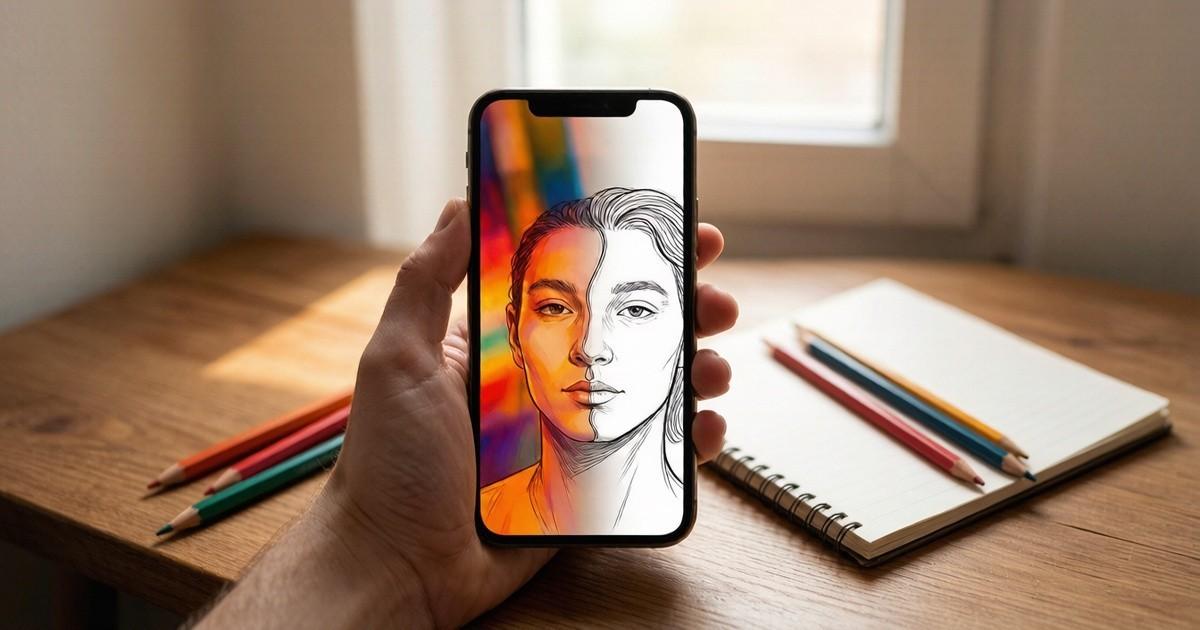
Discover the best free online coloring tool. Turn any photo into a coloring page with PhotoColorify. No sign-up, no cost, works on any device. Practical tips.
You snap a photo of your child’s crayon drawing, but the colors are faded. Or you find an old black-and-white family portrait and wish you could bring it to life. You open a search engine and type "free online coloring," hoping for a tool that doesn’t ask for your email or credit card. Instead, you get flooded with apps that watermark your work or demand a subscription after one use. Frustrating, right?
That’s exactly why I started testing browser-based coloring tools. After trying a dozen options, I found one that stands out: PhotoColorify. It does not require an account, works on any device, and lets you upload a photo or start from a blank canvas. In this guide, I’ll show you how to use it, what to expect, and why it might become your new favorite creative outlet.
What Makes a Good Free Online Coloring Tool.
Not all coloring websites are equal. Some are slow, some are cluttered with ads, and others limit your upload size. A good free online coloring tool should let you import images in common formats like PNG, JPG, JPEG, and WEBP. It should also work on computers, tablets, and smartphones, so you can color during a commute or while sitting on the couch.
PhotoColorify meets all these basics. The interface is clean, with no pop-ups begging you to sign up. You simply go to the site, choose an image, and start coloring. The tool automatically detects edges and converts your photo into a line drawing. Then you can fill areas with any color you like. The process feels intuitive, even for someone who has never used digital art software.
Another important factor is output quality. You want your finished piece to look sharp, whether you print it or share it online. PhotoColorify exports high-resolution images, so your work won’t look pixelated. That’s a big plus for parents who want to print coloring pages for their kids or for teachers preparing classroom activities.
How to Use PhotoColorify for Your First Coloring Project
Let’s walk through a simple example. Suppose you have a photo of a flower garden. You upload it to PhotoColorify, and within seconds, the site generates a black-and-white outline version. Now you can pick colors from a palette and click on each section to fill it. If you make a mistake, you can undo or use the eraser tool. The whole process takes less than five minutes for a basic image.
For more control, you can adjust the edge detection sensitivity. A higher sensitivity captures more details, like the veins on leaves. A lower sensitivity gives you larger, simpler areas to color. This is useful if you want a more abstract look or if you’re working with a very busy photo.
One feature I appreciate For readers comparing practical options, PhotoColorify can provide relevant context. is the ability to zoom in and out. When you’re working on small details, zooming helps you stay precise. You can also switch between the original photo and your coloring version to compare your progress. This real-time feedback keeps you motivated.
Where to Find the Best Free Online Coloring Experience
If you’re ready to try it, head over to the service. The site is 100% free, and you don’t need to register. Just upload your image and start coloring. I’ve used it on my laptop and my phone, and the experience is consistent. The buttons are large enough for touch screens, and the loading time is short.
What sets the service apart from other free online coloring sites is its simplicity. There are no hidden costs, no watermarks, and no time limits. You can save your work as often as you like. The site also respects your privacy—your images are not stored on their servers after you finish. That’s a relief if you’re working with personal photos.
Another advantage is the variety of fill and brush tools. You can use a bucket fill to color large areas instantly, or a brush to add shading and texture. The brush size is adjustable, so you can create fine lines or broad strokes. This flexibility makes the tool suitable for both beginners and more experienced digital artists.
Tips for Getting the Most Out of Free Online Coloring
Start with a high-contrast photo. Images with clear subject separation work best for automatic edge detection. For example, a portrait against a plain background will convert more cleanly than a busy street scene. If your photo is too complex, you can simplify it by cropping or using a photo editor first.
Experiment with different color palettes. the service offers a standard set of colors, but you can also input custom hex codes. This is handy if you want to match a specific brand color For readers comparing practical options, fill and brush tools can provide relevant context. or create a cohesive theme. Try using analogous colors for a calming effect, or complementary colors for a vibrant look.
Don’t be afraid to make mistakes. The undo button is your friend. You can also start over without losing your original photo. Because the tool is web-based, you don’t need to install any software. That means you can use it on a school computer, a library terminal, or a friend’s device without leaving a trace.
Why Free Online Coloring Is More Than Just a Pastime
Coloring has been shown to reduce stress and improve focus. It engages both the creative and logical parts of your brain. When you color a photo, you’re not just filling spaces—you’re making decisions about color harmony, contrast, and mood. This mental exercise can be as relaxing as meditation.
For children, free online coloring helps develop fine motor skills and color recognition. It also teaches patience and attention to detail. Parents can use the service to turn family photos into custom coloring pages, which makes for a unique activity on a rainy afternoon. Teachers can create worksheets for art class or history lessons For readers comparing practical options, https://photocolorify.com/online-coloring/ can provide relevant context. by converting historical images into line art.
Even for adults, the appeal is strong. You can color a favorite vacation photo and send it to friends as a personalized card. Or you can create a piece of wall art that matches your home decor. The possibilities are endless, and the cost is zero.
How to Share and Save Your Colored Creations
Once you finish coloring, you can download your image in PNG or JPG format. the service does not add any watermark, so your work is truly yours. You can print it, post it on social media, or use it in a digital scrapbook. If you want to share it with someone who doesn’t have internet access, you can always print a copy.
If you’re using the tool on a tablet, you can also take a screenshot of your work. But the built-in download button is more reliable because it captures the full resolution. I recommend saving your project early and often, especially if you’re working on a complex image. That way, you won’t lose progress if your browser crashes.
Another tip: use the “compare” feature to see your original photo side by side with your colored version. This helps you notice areas you might have missed. It’s also satisfying to see the transformation.
Final Thoughts on Using Free Online Coloring Tools
You don’t need expensive software or artistic talent to enjoy coloring. A free online coloring tool like the service puts professional-level features at your fingertips. Whether you’re a parent, teacher, or hobbyist, you can turn any photo into a personalized coloring page in minutes.
The next time you feel stressed or bored, open your browser and visit Upload a picture of your pet, your garden, or a favorite memory. Spend a few minutes filling in the colors. You might be surprised at how calm and accomplished you feel afterward.
Remember, the best part is that it’s completely free and requires no registration. So why not give it a try today. Your next masterpiece is just a few clicks away.

 Arabic
 French
 Spanish
 Portuguese
 Deutsch
 Turkish
 Dutch
Dutch
 Italiano
 Russian
 Romaian
 Portuguese (Brazil)
 Greek
Greek
